The console is no longer turned on using the ~ (tilde) key. It can now be turned on using the button to the left of the return key. Some users may find that ~ (tilde) is still the correct way to access the console.
- player.additem 000000F XXX ( XXX amount) – Add caps
- player.additem 00075fe4 – Add Core Blocks
- player.additem 000000A XXX ( XXX quantity) – Add lockpicks
- fov X – Changes the players’ field of view. Default is 70, maximum is 110.
- coc qasmoke – Debug room with all the elements
- tgm – God Mode
- modav CA_affinity X (after aiming at a teammate) – Increases the affinity of your teammates by X. The cheat will not increase this affinity until the default affinity is changed.
- kill – Kills the specified target.
- Lock – Locks doors, containers, and terminals. After locking, you can set the lock difficulty.
- setgs fPickPocketMaxChance 100 – Maximum pickpocket chance is 100.
- setgs fPickPocketMinChance 100 – Minimum pickpocket chance 100
- player.modav carryweight # – Changes the constant carry weight of players
- player.resethealth – Restores health and cures radiation.
- resurrect – Resurrects a dead mob.
- coc sanctuaryext – Returns the player to the Sanctuary.
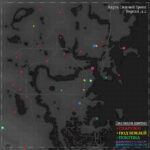
- tmm 1 – Opens all locations on the map.
- player.setav <variable> <amount> – Sets character parameters to the given amount (SPECIAL, skills, resistances, AP, health, etc.). Using setav will affect perks and unlock new perks.
- player.setav speedmult xx – Increases the character’s movement speed. For example, a value of 120 will increase speed by 20%.
- setownership – Sets ownership of an item so it can be taken without being stolen
- setgs fPowerArmorPCArmorDamageMultiplier – Sets the rate at which Power Armor wears out
- player.setlevel xx – Increases the character’s level by the specified xx value (note: you cannot decrease the level this way)
- getgs fPowerArmorPCArmorDamageMultiplier – Shows the rate at which power armor wears out
- getav CA_affinity (after targeting a companion) – Shows how much your companions are disposed towards you (most max. indicator, reaching 1000).
- tfc – free flight mode (useful for screenshots)
- tim – Disables immortal mode
- tcl – Walking through walls and flying in clouds
- tai – Toggles the selected NPC on or off. When on, it stands still and doesn’t react to anything.
- tcai – Disables combat mode for NPCs. They won’t fight, but they can be killed.
- tm – Toggles the user interface (useful for screenshots)
- Unlock – Opens containers, doors, terminals
- player.setav 357 <amount> – The selected value multiplies ballistic and melee damage. (1 is the default, 2 doubles the damage, 3 triples the damage, etc.)
- player.modav <variable> <amount> – Works the same as setav, however it is treated as a temporary increase similar to one granted artificially, and therefore will not unlock new perks on the perk tree.
Source: www.gamefaqs.com